From the Lock Screen
A Live Activity keeps your clock close, with Start and Stop on the Lock Screen and in the Dynamic Island.
Available now on the App Store
A clear timer, a gentle rhythm, and one less thing to hold in your head. Made for the moments when being there matters most.
For iPhone with iOS 26 or later. One purchase. No subscription. No account to create.
Try Start, then Stop.
Preview only. Nothing is saved.
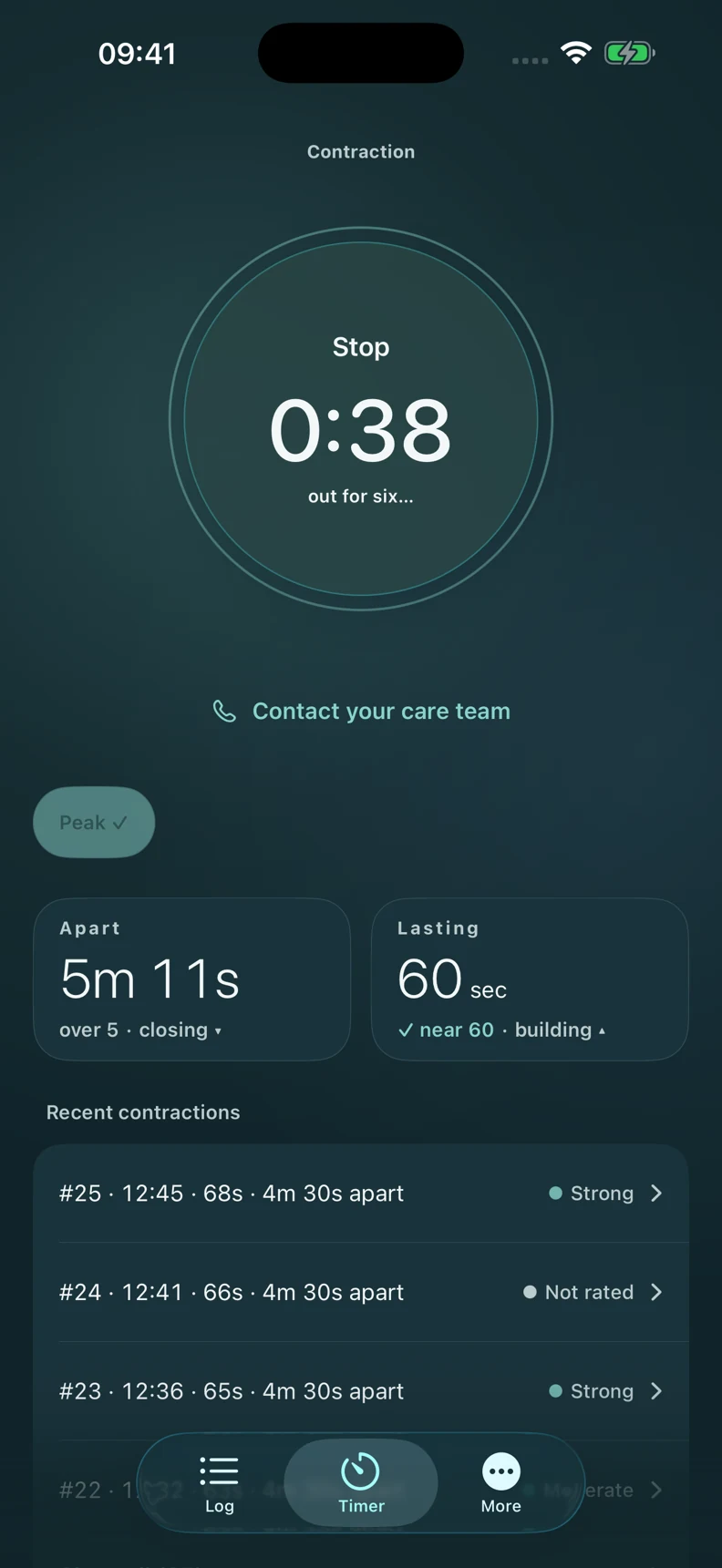
In the moment
Start when a contraction begins. Stop when it eases. A gentle breathing cue and clear clock keep timing simple, with a compact button that stays in reach as you move through the app. Choose a light or dark appearance that suits the room.
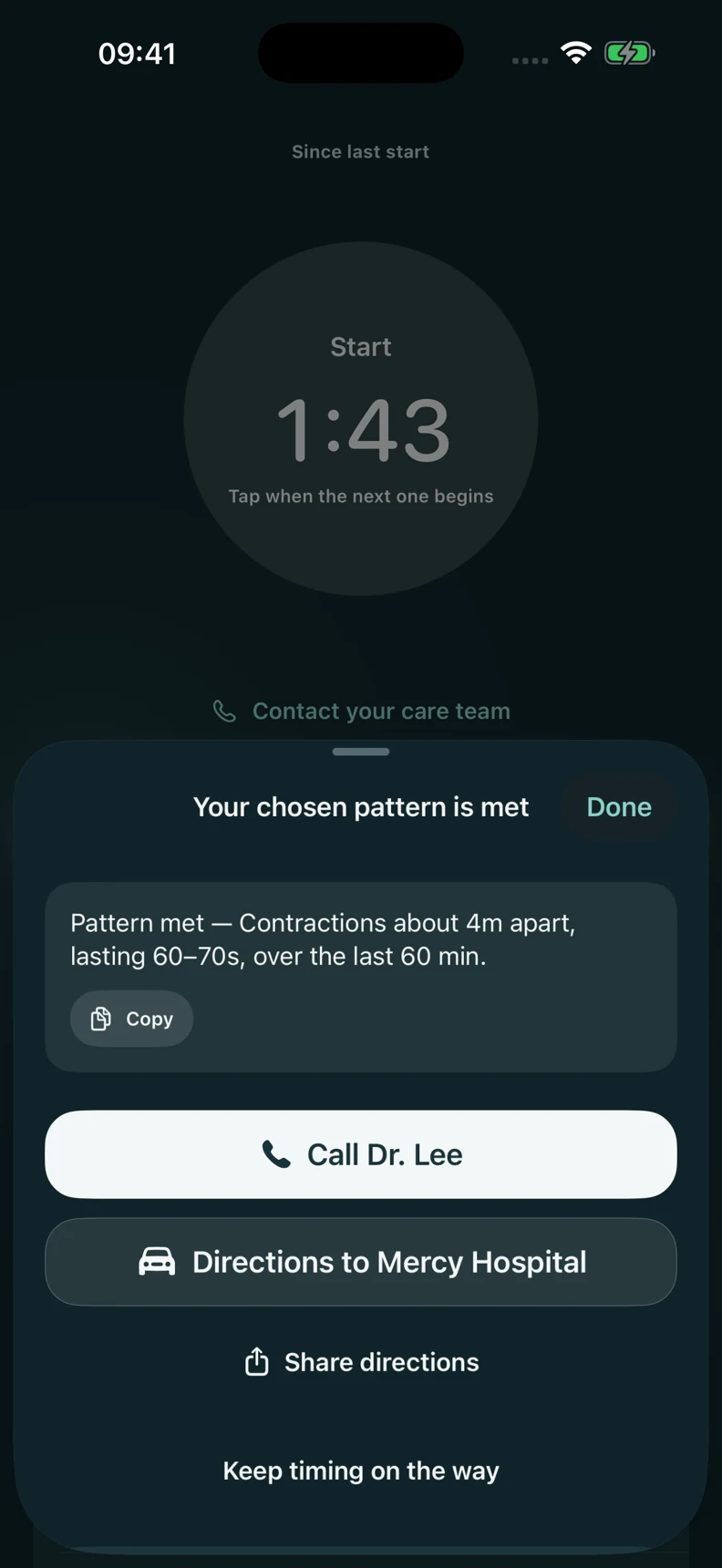
Your pattern, clearly recorded
Choose and save your own timing pattern, or select a popular preset after checking with your provider. No pattern alert is enabled until you save your choice. Cadence compares your recorded timing with that pattern; a match is a reminder, not a decision about when to seek care. Follow your provider’s guidance. Alert delivery depends on your notification and Focus settings.
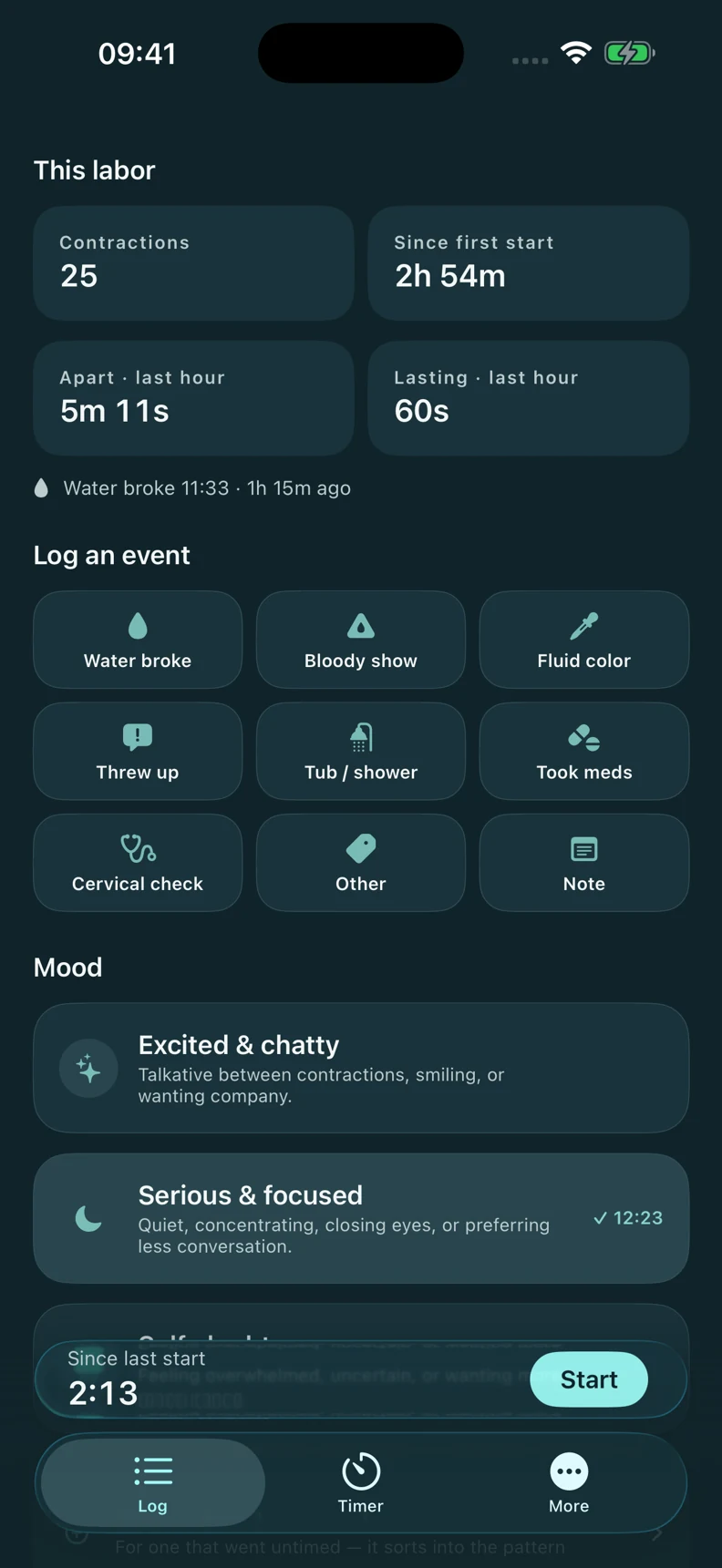
The story of the day
Water breaking, medication, mood, and notes, all with a time attached. Moods stay as observations. Your recorded contractions and events come together in a session history you can share as a PDF.
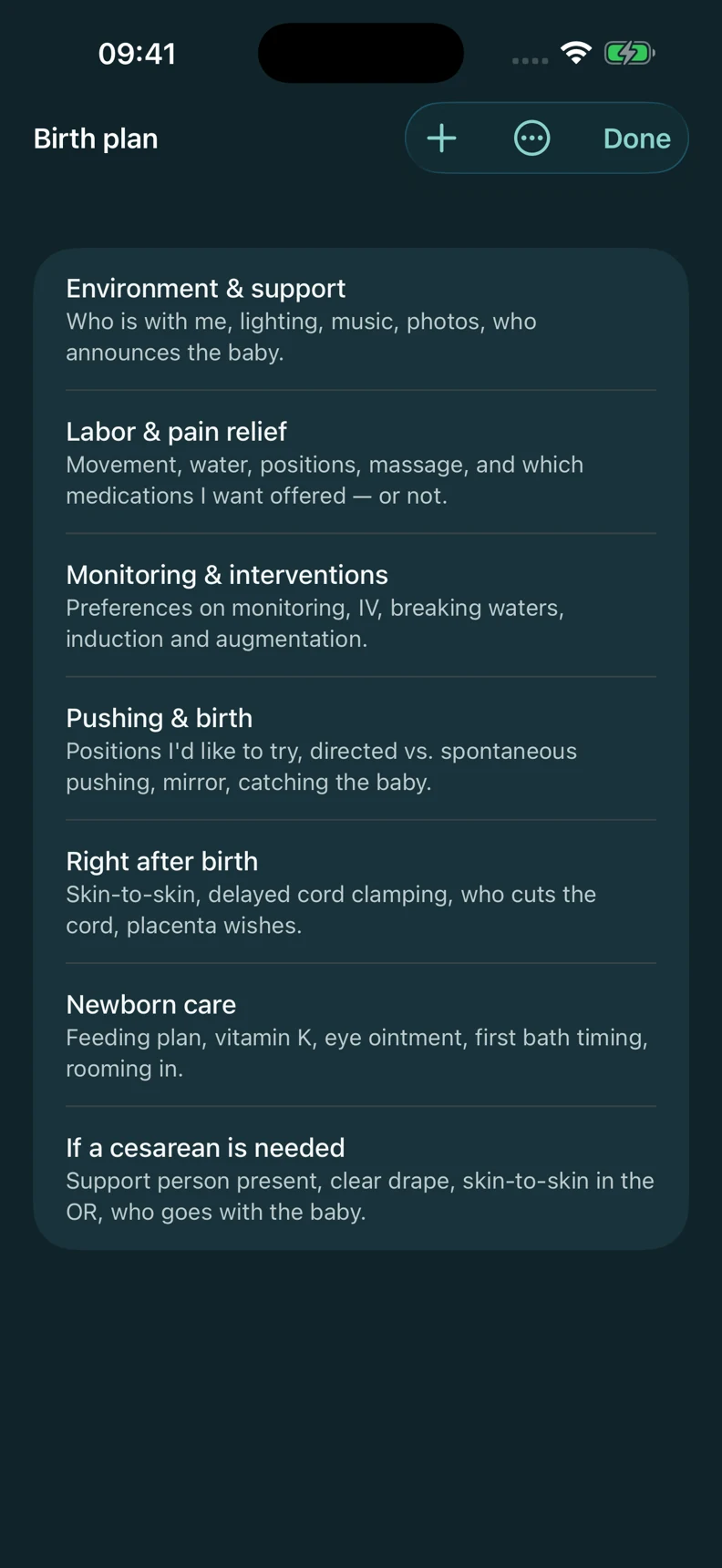
Before the day
Keep your birth plan, hospital-bag checklist, and care contacts together. Save your birth place and the person to call first. Edit at your pace, with clear Save and Cancel controls.
A Live Activity keeps your clock close, with Start and Stop on the Lock Screen and in the Dynamic Island.
Use Siri, Control Center, or a widget to start and stop the timer. Keep the controls close when your hands are full.
Choose System, Light, or Dark. Gentle motion follows your accessibility settings, and the short particle feedback can be turned off.
Automatic local snapshots include your preparation edits. Export a backup file for a portable copy, and see snapshot and export status in Settings.
Your records stay on your devices and sync through private iCloud when available. No Cadence account, ads, or third-party analytics SDKs. Our privacy policy explains Apple diagnostics, support, and sharing.
Cadence describes the timing you record. It does not identify a labor stage or decide when you should go in. Contact your care team whenever you need them.
Cadence is now available for iPhone. Keep contraction timing, notes, your birth plan, and your hospital bag checklist together.
Download on the App Store Questions? Get in touch.